Advanced database Cleaner is possibly the best plugin for database optimisation for those users who do not dare or do not yet know how to do it manually for cleaning and optimisation and it is one of those few that I have no qualms in reviewing its paid version, as I did in its primitive version back in 2021.
At the end of 2025, the plugin was completely revamped. If before I used it as one of those useful "throwaway" plugins, now I have left it permanently installed.
According to the developers, when they started working on the improvements for version 3.x (programmed between 2016 and 2018), they discovered that the limitations of the code prevented them from creating modern and flexible functions, so they completely rewrote it to make it more precise and scalable in the long term. And I think they've succeeded with the result.
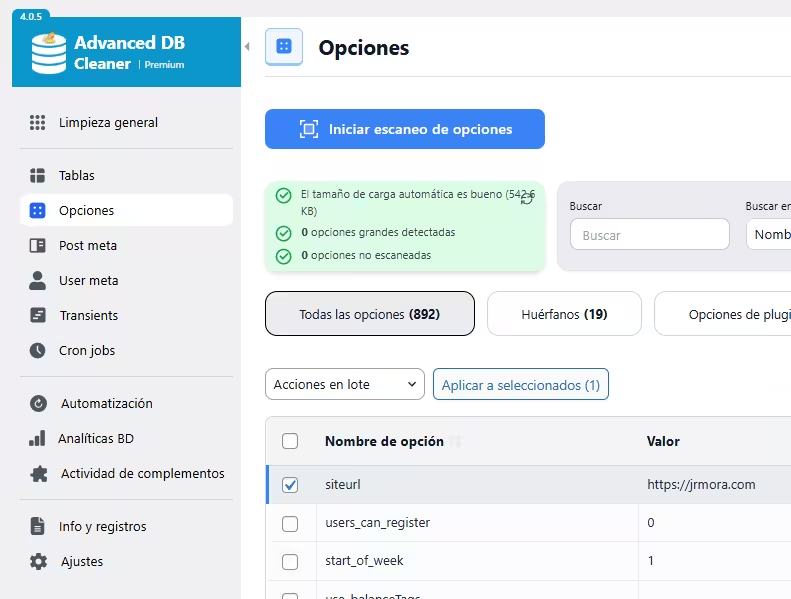
From the outset, everything is more accessible and in view, and appears clearer and cleaner. The overall response is also much smoother.
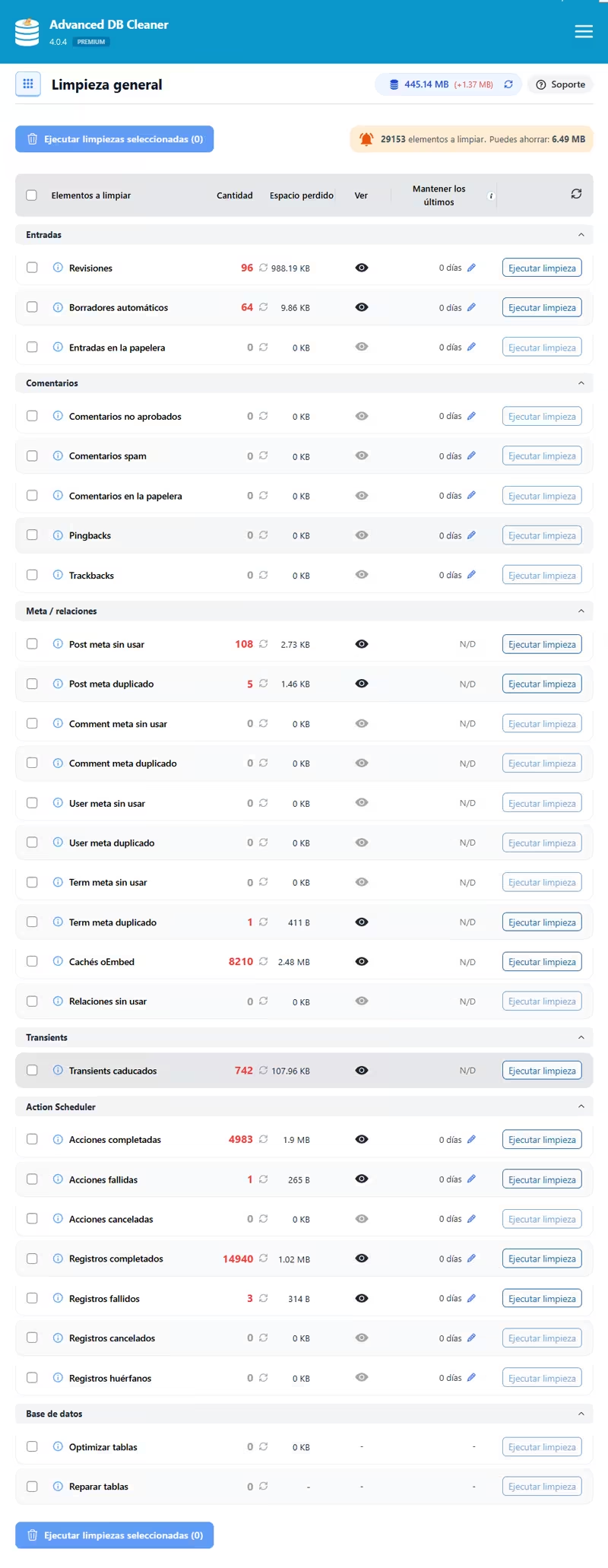
All well explained
While many, if not all, of these cleanups can be done manually from phpMyAdmin or directly with SSH commands (in fact, the plugin provides a link to the code required for each option), they add that the plugin uses WordPress' internal cleanup methods, automatically handles multisite installations and ensures that all related data is securely removed, maintaining database consistency and stability.

The rest of the options also have a link to their corresponding explanation in case you want to know exactly what each of them is about.
Remote Analysis, improving the identification of orphan data
The star feature of Advanced database Cleaner Premium is Remote Scanning. The analysis and identification of which table, record or string belongs to which thing was the stumbling block of the previous version. The results were far from accurate.
Remote analytics is optional and works alongside local analytics to analyse your database remotely via a secure cloud infrastructure, promises to improve those results and help identify orphaned data with superior accuracy, without overloading your website's resources.
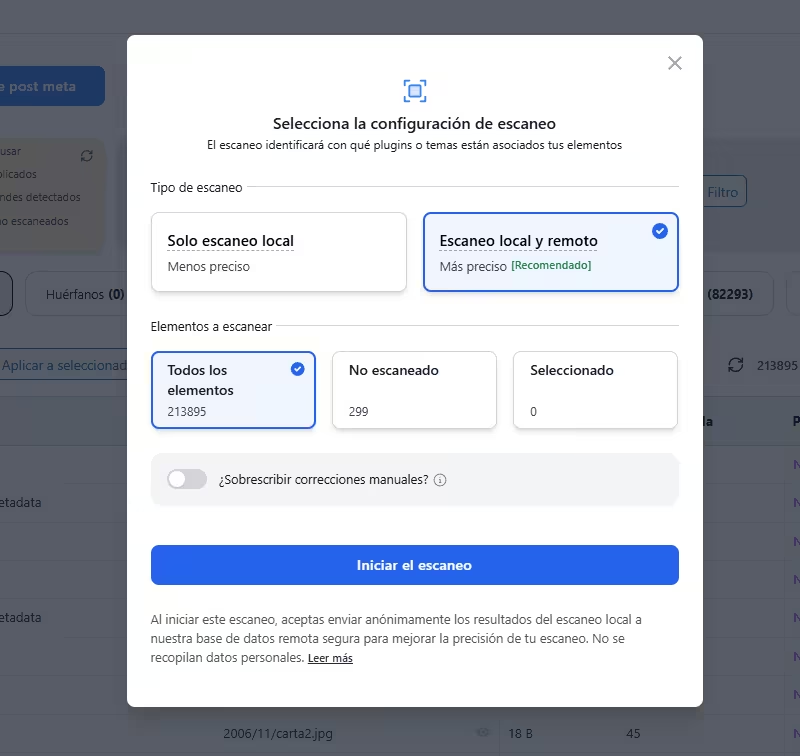
When opting for local and remote scanning, certain data is sent that will be used to improve identification. Here you can find out what data is sent and other information about this feature.
Finally, three methods are used to improve analytics: proprietary algorithms and internal analysis routines that continuously study known WordPress plugins and themes to understand how they interact with the database. Manual verification by developers especially in cases where automation cannot determine the origin of a record with absolute accuracy and finally contributions from the community.
When users edit a result and manually assign ownership to unknown or known elements within the plugin and choose to share their corrections anonymously, these relationships are supposed to be manually double-checked and then aggregated to improve the database for everyone.

It is noticeable that the identification has improved a lot and I hope they continue to refine it. Still, ideally, the last check and decision to delete something should still be manual and you should take it without risk and with a fresh backup of the database always at hand.
Perhaps the least good thing about this new version, is that it is no longer a one-time fee with forever updates like version 3.x. The 4.0 version is now an annual subscription fee if you want to have remote scanning.
Anyway, if you were a LTD user (lifetime license) you can continue with it without upgrading to 4.0 Premium and it will be automatically migrated in March 2026, but without the remote scanning option. Everything is explained here. If you want to use it on a limited basis, a free version is also available in the repository.
The "Starter" version, the cheapest one, only allows you to activate the plugin on one site (the previous one allowed up to 2 sites), but you can use it on other sites by deactivating the license on your site and adding it on another one from your client area of the plugin website if you need to run it, for example, on a staging or client site.
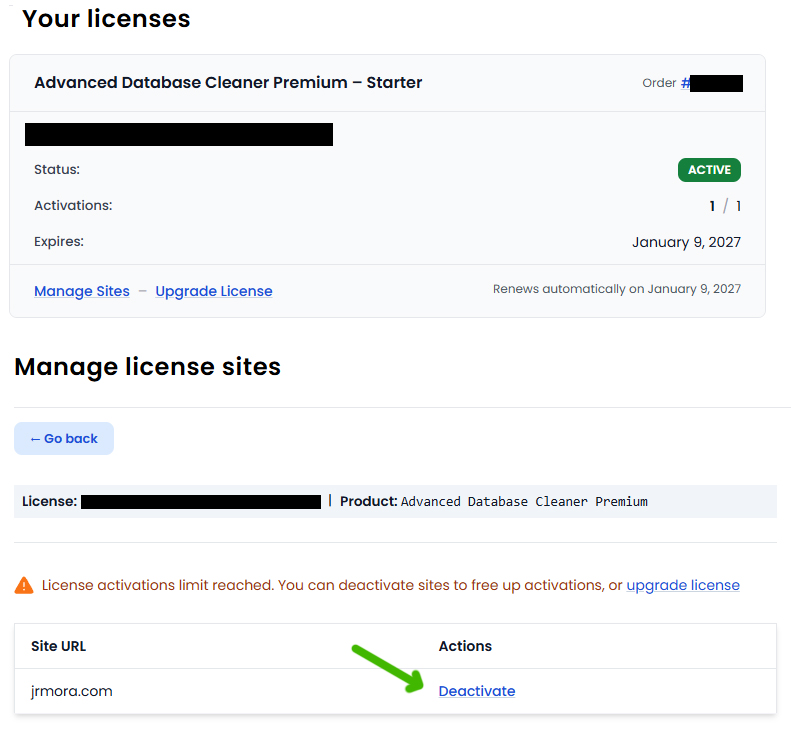
Is it worth paying the annual subscription just for remote scanning?
At the moment it is too early to know if it will improve the diagnostics as much as they promise, but in my case I chose to upgrade as a vote of confidence and as a way to thank all those times that the plugin allowed me to solve various problems when I started to optimise databases.
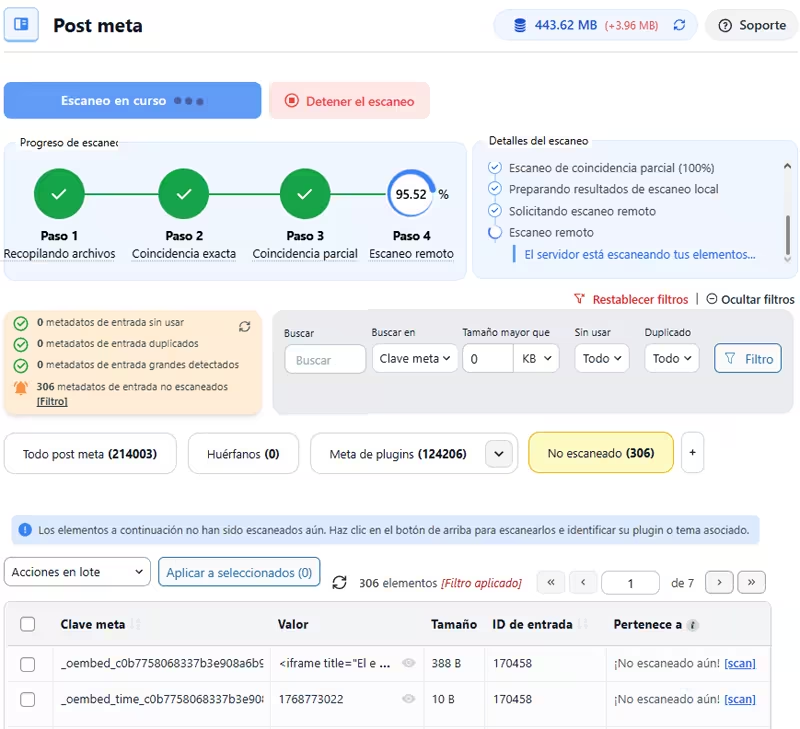
In any case, I think it's worth it just for the complete overhaul of the interface and the new palette of options and their responsiveness.
In addition to the typical, now improved, options, there are a few more that may be of interest.
Automation
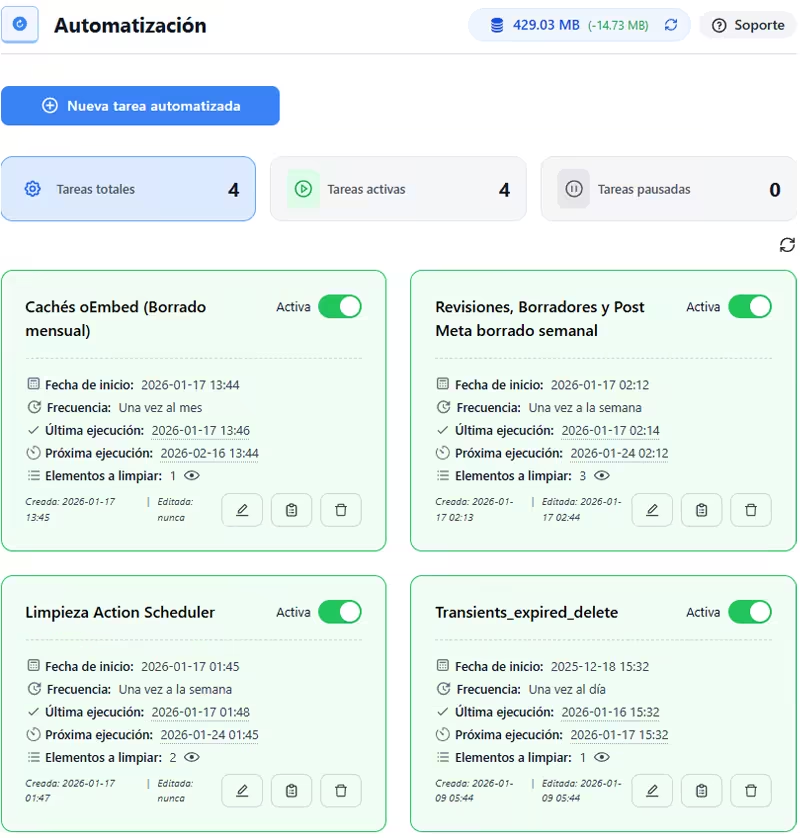
The automated cleanup for scheduling regular database maintenance has also been revamped. You choose what to clean and how often, hourly, daily, weekly, monthly, etc. and the plugin creates a cron job and takes care of the rest. It now includes access to the logs of the automated cleanups so you can keep track of them. Here's an example of the four I have active right now.
DB Analytics
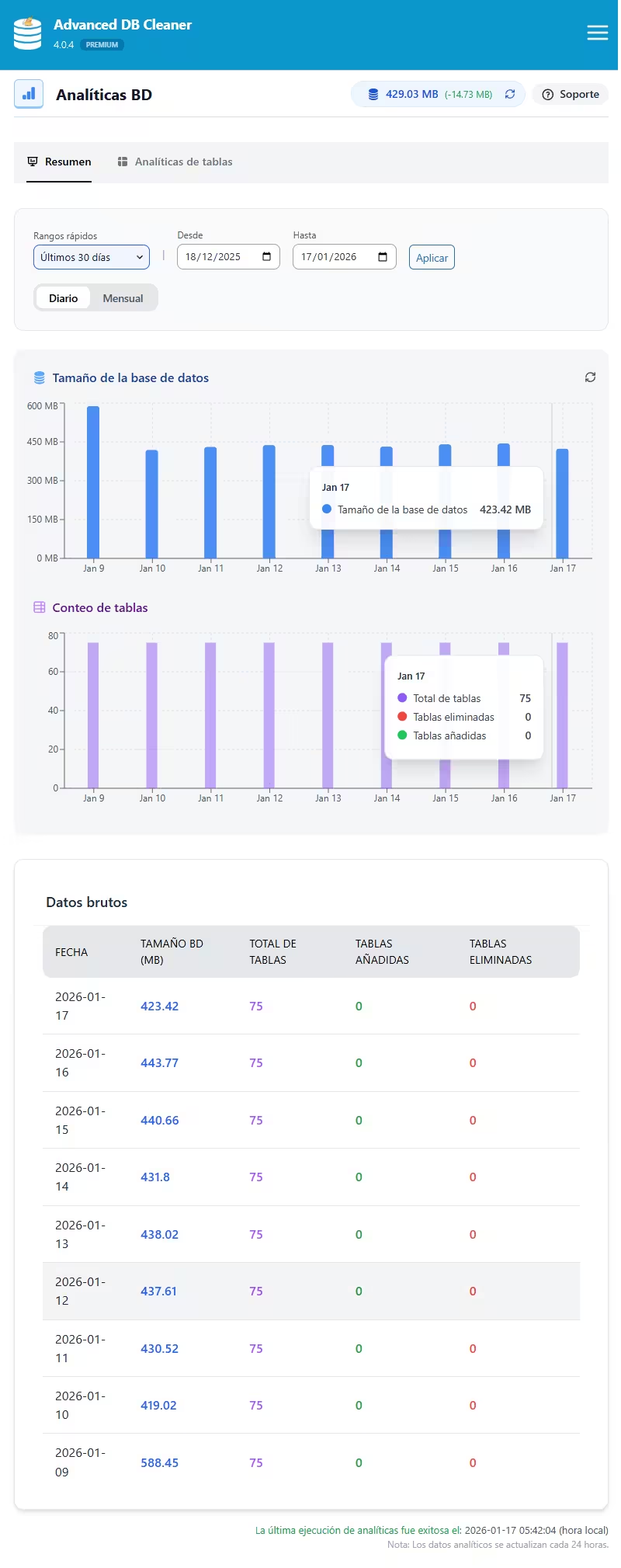
You can track the evolution of your WP database size in detail and observe the growth of tables over time to hunt for patterns or trends to identify potential problems before they affect performance, this option tracks the number of tables, the size and growth of rows and tables added and/or deleted over time and also analyse specific periods with a custom date range...
Plugin and templateactivity
Here you can track plugin and template activity, including activation, deactivation and uninstallation, and access a complete history for debugging and site analysis to detect possible orphaned data from uninstalled plugins.

In their knowledge base you have all the options explained in detail and with videos.
*This post contains affiliate links. If you use any of them to buy and test the plugin, I thank you in advance.