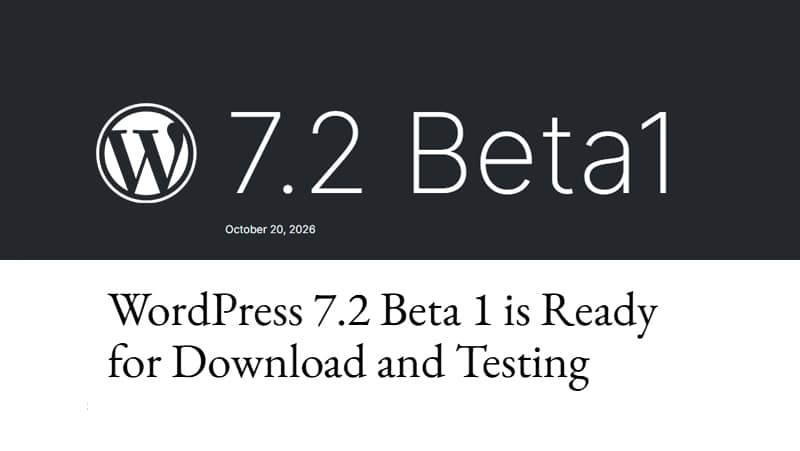
WordPress 7.2 Beta 1 was released yesterday, and with it comes the usual round of tinkering. Beta 2 is just around the corner; it’s due on 27 October. The final version is scheduled for 8 December.
I now have to run the tests because I’ve got seven of my own plugins in the collection that need to be checked and tested, and I run the tests twice – both on a staging environment on the server and on a local installation.
This latest major release of the year doesn’t bring any major or spectacular new features, but there are a variety of them. If you’re an average user, you won’t notice any major changes, as most of them are behind the scenes. However, if, like me, you’re a cross between a tinker and an eternal apprentice developer, there are a few interesting things.
At first glance, I’ve focused only on those that improve features I use or that can replace existing ones on the blog. As always, if you want to check out the full list of changes and improvements, you’ll find all the information in the Roadmap. Have a look – there’s loads in there.
New table of contents block
The history of this block dates back more than four years, when it was added as an experimental featurein Gutenberg13.3.0 in May 2022 and I tested it at the time. Back then, there were rumours that it would be included in WordPress version 6.1, but that never happened.
Barring any last-minute changes, it will be incorporated into the core of version 7.2. It is worth bearing in mind that anything initially added in beta versions may end up being omitted from the final release and/or postponed to a later one. This is the case with collaborative editing, which will not be included in 7.2 either, but development is continuing in parallel.
Regardless of whether tables of contents help much or little with search engine optimisation (and I can tell you straight away that they don’t help as much as some people think), I’ve always found them essential in long posts to make it easier for readers to find and quickly navigate to the part of the text they’re interested in reading, avoiding long sessions of scrolling.
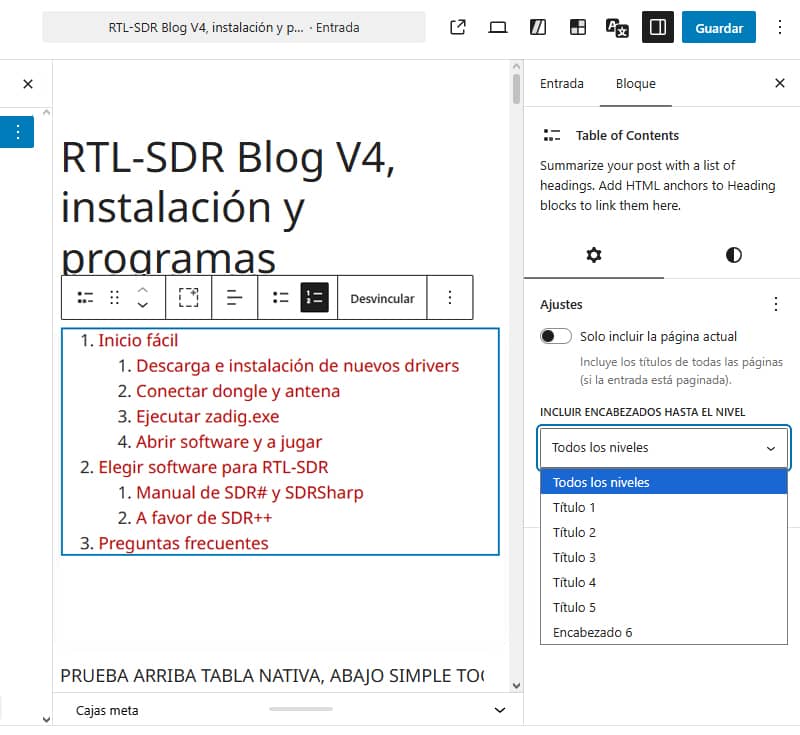
Its settings are basic. Its styles tab only has a selector for adding a solid or gradient background colour and a few typography settings. If you want to customise it a bit further and add a box with borders, shadows, etc., you’ll have to use CSS
Perhaps the only thing missing is a toggle to show them collapsed or expanded, and one thing I do consider to be a shortcoming is that, at the moment, it doesn’t recognise H2 and other headings when they’re inside a GenerateBlocks container. On the other hand, the toggle to show the table only on the current page or to include it on all pages of a very long, paginated post is a great feature.
It’s more than likely that this native block will replace the Simple TOC plugin – one of the best lightweight plugins out there – which I’ll stop using when version 7.2 is released.
When comparing the plugin with the native block in terms of SEO, ranking and Schema, both options perform virtually identically, although the native block is much cleaner as it does not load external stylesheets or inject bloatware into the rendered HTML. Gutenberg’s custom CSS box processes the rules cleanly (or applies the class directly) without bloating the markup with unnecessary redundant classes. All of this results in a smaller DOM.
Random Content Redirects
The WordPress core does not include any functionality to redirect a request to a randomly selected post or page. Currently, this behaviour is achieved using plugins or custom code.
According to ticket 64498, following a discussion on whether it should be possible to add an optional minimal implementation to the core, it was proposed to implement something without any visible changes, based on Matt Mullenweg’s first plugin, Random Redirect.
WordPress 7.2 will therefore include support for random content redirects, allowing visitors to discover a randomly selected post via a specific URL. Whilst this may seem trivial, it is actually quite commonly used and offers a simple way to encourage content exploration, whilst helping readers rediscover older posts.
In my case, the ‘Random Post’ button has been working for years using this snippet, which I had to tweak to sort out caching issues and other problems so that it would work with the URL https://jrmora.com/?random=1. This new feature, planned for version 7.2, will allow me to tidy up the code a bit.
/**
 * SISTEMA DE POST ALEATORIO - VERSIÓN MIGRADA
 * Gestiona la redirección de /random/ a un post aleatorio
 */

// 1. Registrar la ruta y variable de consulta
add_action('init', function() {
    global $wp;
    $wp->add_query_var('random');
    // La regla de reescritura es importante para permitir la URL /random/
    add_rewrite_rule('random/?$', 'index.php?random=1', 'top');
});

// 2. Manejar la redirección aleatoria
add_action('template_redirect', function() {
    if (get_query_var('random') == 1) {
        // Headers para evitar caché y asegurar la verdadera aleatoriedad
        header("Cache-Control: no-store, no-cache, must-revalidate, max-age=0");
        header("Pragma: no-cache");
        header("Expires: Thu, 01 Jan 1970 00:00:00 GMT");

        // Forzar no-cache en LiteSpeed
        if (function_exists('litespeed_header')) {
            litespeed_header("X-LiteSpeed-Cache-Control: no-cache");
        }

        // Consulta optimizada para aleatoriedad real
        $args = array(
            'post_type'      => 'post',
            'post_status'    => 'publish',
            'orderby'        => 'rand',
            'posts_per_page' => 1,
            'no_found_rows'  => true, // Optimización
            'fields'         => 'ids' // Solo necesitamos el ID
        );

        // Filtrar args para permitir extensiones
        $args = apply_filters('random_post_query_args', $args);

        $random_post = new WP_Query($args);

        if ($random_post->have_posts()) {
            // Usar 307 (Temporary Redirect) para que los bots no cacheen el destino
            wp_redirect(get_permalink($random_post->posts[0]), 307);
            exit;
        } else {
            // Fallback a la página de inicio
            wp_redirect(home_url(), 302);
            exit;
        }
    }
'On This Day' widget
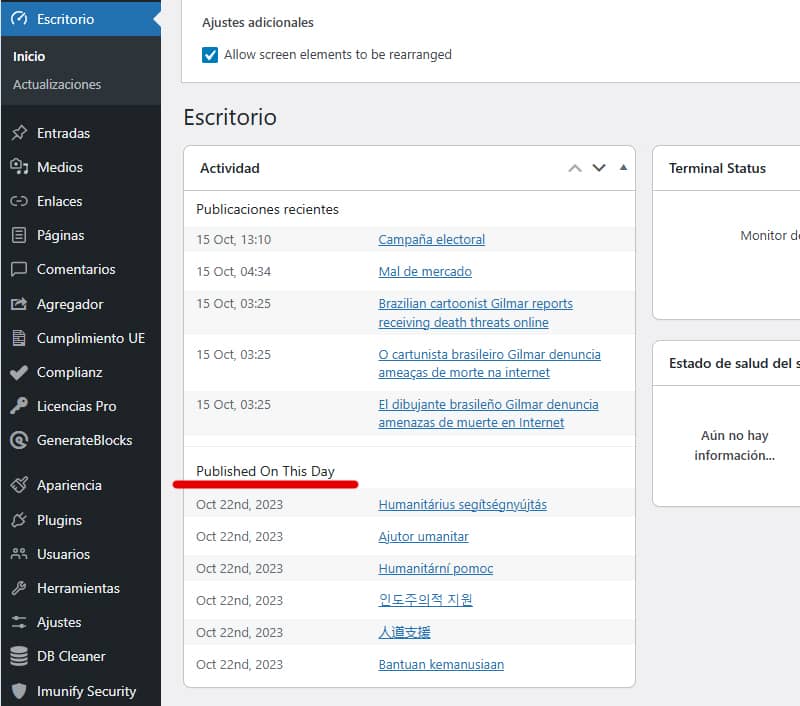
This idea was dropped from WordPress 7.1, and a new attempt is now being made to introduce a new ‘On This Day’ widget for the dashboard that displays posts in the style of an anniversary feature – along the lines of ‘on this day a year ago, two years ago, etc.’ – a popular feature on various platforms.
It can be very useful for keeping track of potential anniversaries, finding ideas for refreshing content, seasonal themes to tie in with, and so on. It’s already included in Beta 1, although without any customisation options (which it seems are being considered). It would be useful to be able to add exclusions by language, tag, category, etc. The widget is explained here.
As it happens, one of my plugins, Recordar for Bluesky & Mastodon, does exactly this, but to revive old content by reposting it on these two social media platforms.
Performance
In this section – which is one of the ones I’m most interested in – there isn’t much to report on this journey either. The focus has been on eliminating the concatenation of scripts and styles in favour of preloading, and on improved responsive images.