Whilst at the end of last year I reviewed the "Radio Receiver", written entirely in JavaScript byJacobo Tarrío, which allows you to use an RTL-SDR via the website https://radio.ea1iti.es/, I have now come across something even more comprehensive and polished.
BrowSDR is a state-of-the-art, ultra-fast, browser-based software-defined radio (SDR) receiver originally designed for HackRF, created by Joel "Lynx", a programmer from New Zealand. Simply connect a HackRF or RTL-SDR device, open this URL https://browsdr.jlynx.net in your browser, and you’re all set.
Although it’s claimed that no drivers are needed, I don’t think that’s entirely true. I’ve tested it on a machine where I haven’t installed any SDR-RTL drivers, and it wouldn’t start up just by plugging in the USB receiver. Whilst you do save yourself the hassle of the software, you’ll at least need to run Zadig on your machine so that the drivers can do their job.
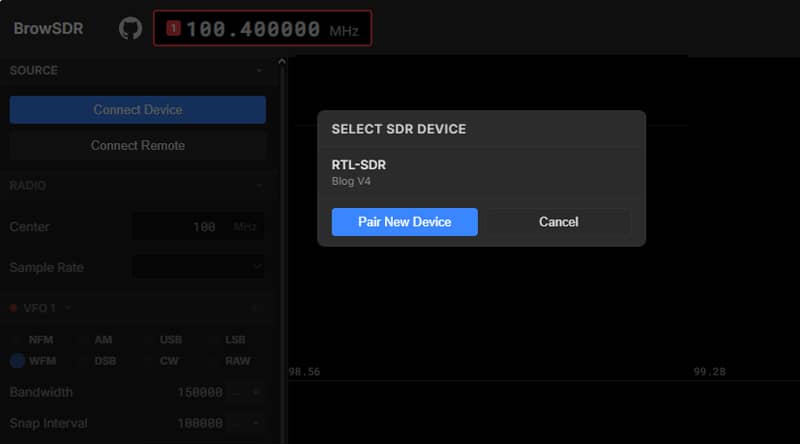
WebUSB, No installation required
It connects directly to HackRF or RTL-SDR hardware via WebUSB. No software, no plugins, no fuss: just open your browser and you have a fully functional receiver.
Multi-VFO reception
You can listen to several frequencies at the same time, each with its own colour, mode, squelch, volume and audio filters. You can also bookmark your favourite frequencies, create groups and assign them categories.

Remote SDR sharing
One really useful feature is the ability to easily share your SDR with remote listeners via WebRTC using PeerJS. Clients connect using a shared link. The host can lock the settings and manage connected clients. You generate a URL and send it to a friend, who can then access your SDR directly from the website. It’s that simple.

Transcription using Whisper AI
You can use real-time speech-to-text conversion via OpenAI Whisper, which runs locally within your browser. It supports both English-only and multilingual models of up to 800 MB.

Frequency activity tracker
It automatically records the squelch open time and the number of transmissions per VFO. It sorts active frequencies and displays live transmission indicators.
POCSAG pager decoder
Real-time decoding of POCSAG paging signals on any NFM VFO. Displays the access code (capcode), message type, baud rate and message text, with export support.
Demodulation modes
NFM, WFM (with stereo and RDS), AM, USB, LSB, DSB, CW and RAW; all decoded in real time using WebAssembly DSP.
Perhaps the only feature I might miss compared to SDR++ is the recording function, but for that you can always use tools that record audio from the PC. I’ve tested it in four browsers and it works well in all of them. I only encountered a bug in Opera: the window closes when dragging the frequency timeline. Although it feels slightly less responsive and fine-tuning frequencies is a bit more awkward than in SDR++ and also slightly less precise, otherwise the performance is flawless. We’ll have to keep an eye on its development.
You can find all the details on their GitHub page.